
Catering software: from orders to settlements
Dietido is not just order collection. It connects facilities, the dietician and the kitchen: from the order panel to labels, a packing list and meal-count reports.
Order Module: Your 24/7 Service Office
What you gain?
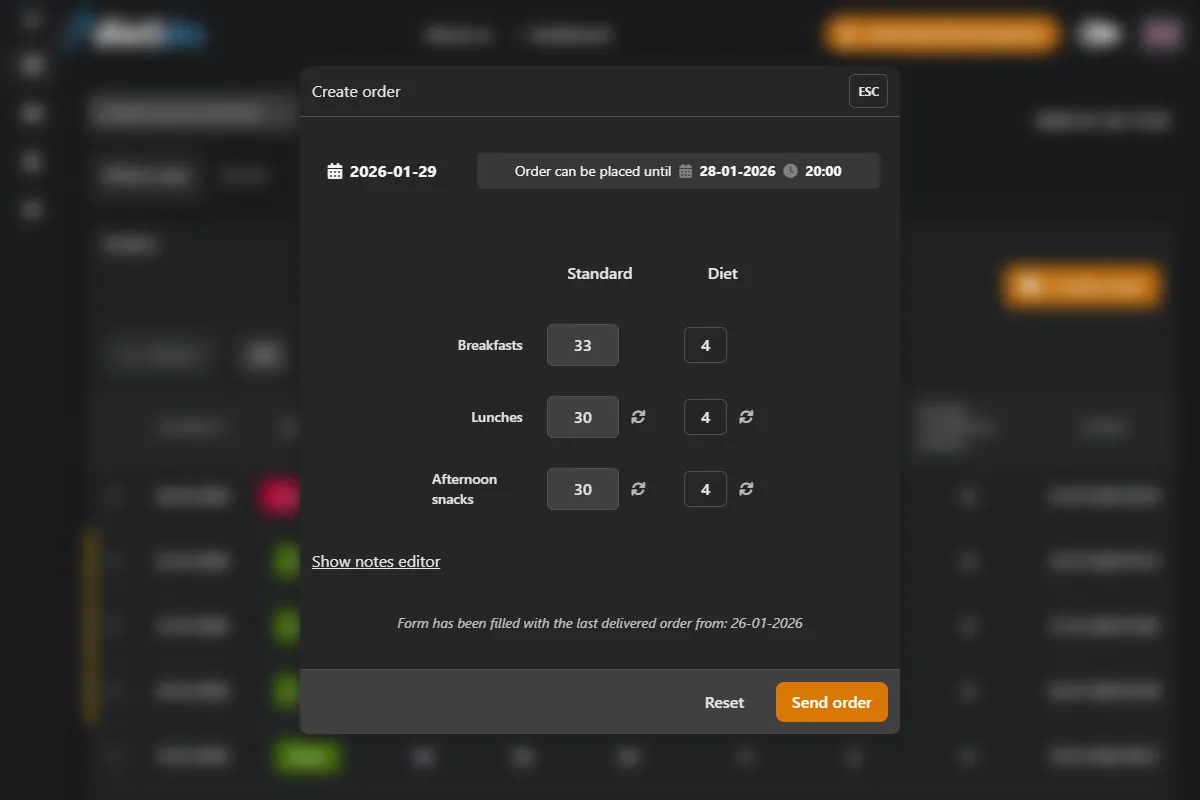
- Auto-orders: If the facility places nothing, the system can copy the last order onto the next working day — in the window between deadlines.
- Two deadlines: Full edits the day before, a shorter correction on delivery day. After the second cutoff the facility cannot save — a manager still can.
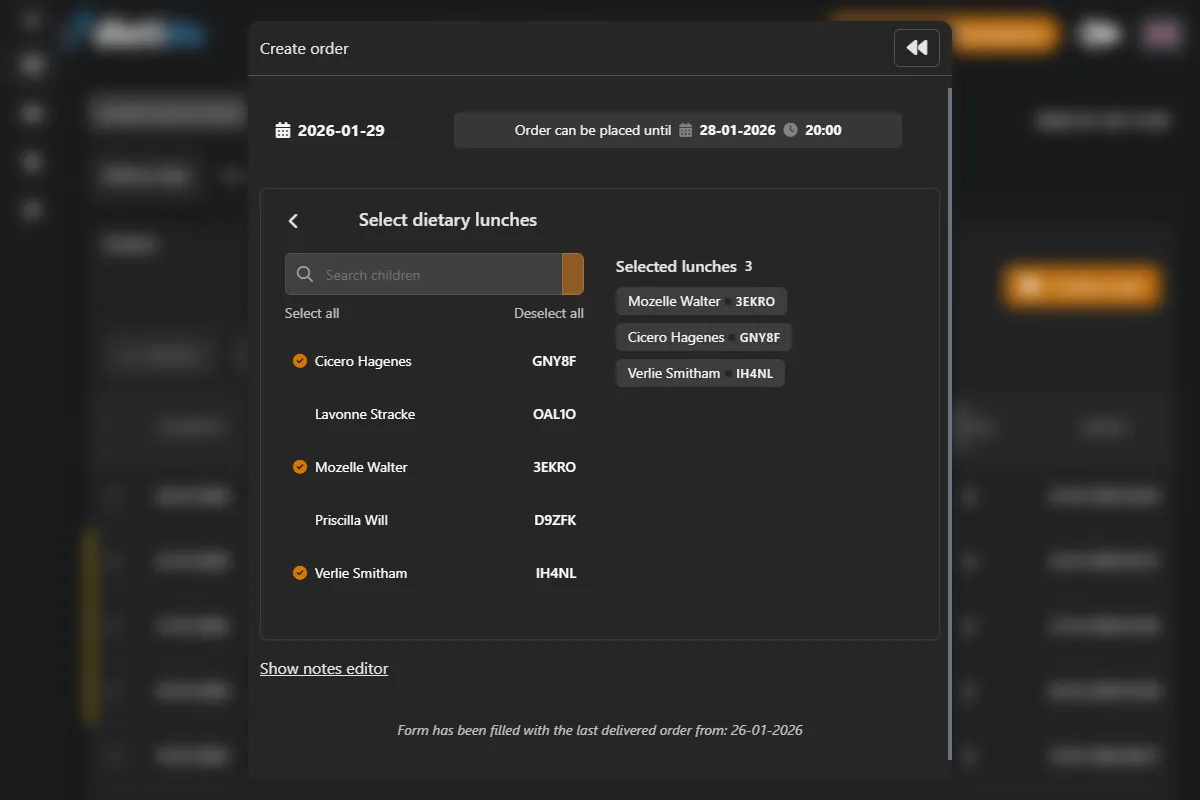
- Child record: The order is specific people on specific meals, not “ones in column B”.
- Fewer calls: “John is not eating” means removing the child from that day's order in the panel, not an SMS to the office.
How was it before?
Morning chaos. SMS saying "Johnny sick", calls at 10 PM, manual rewriting to Excel, and constant risk of error.
With Dietido:
Facilities have their own panel. They build the order from the children's list and diets. Two deadlines close full edits and the morning correction. In the morning you have a day report, not an SMS thread.
Dietician Module: Safety Guardian
What you gain?
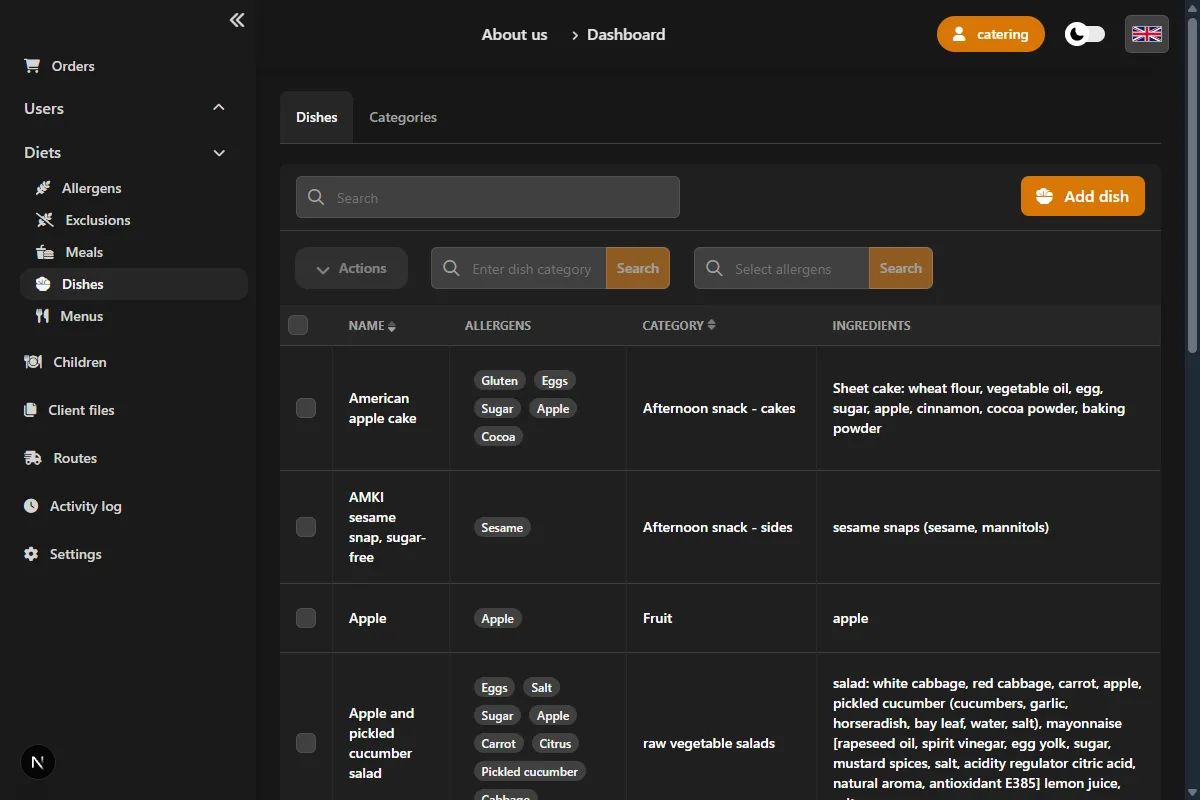
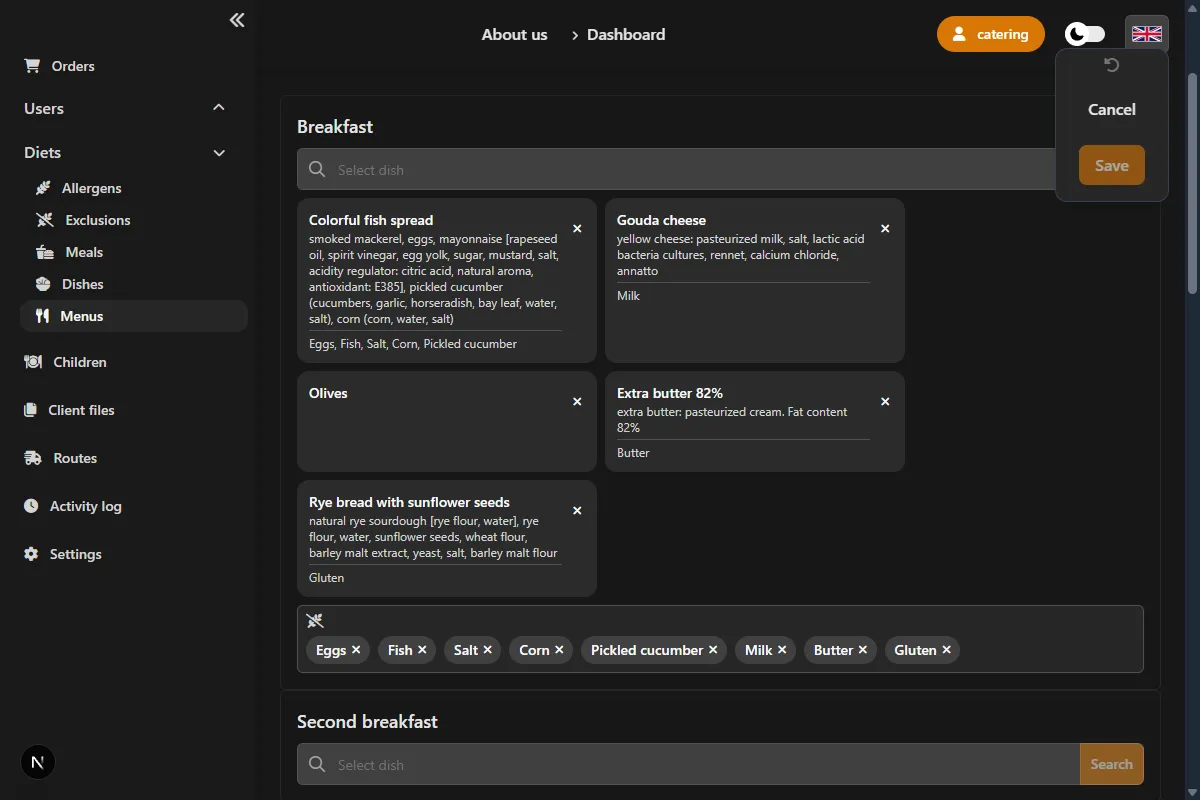
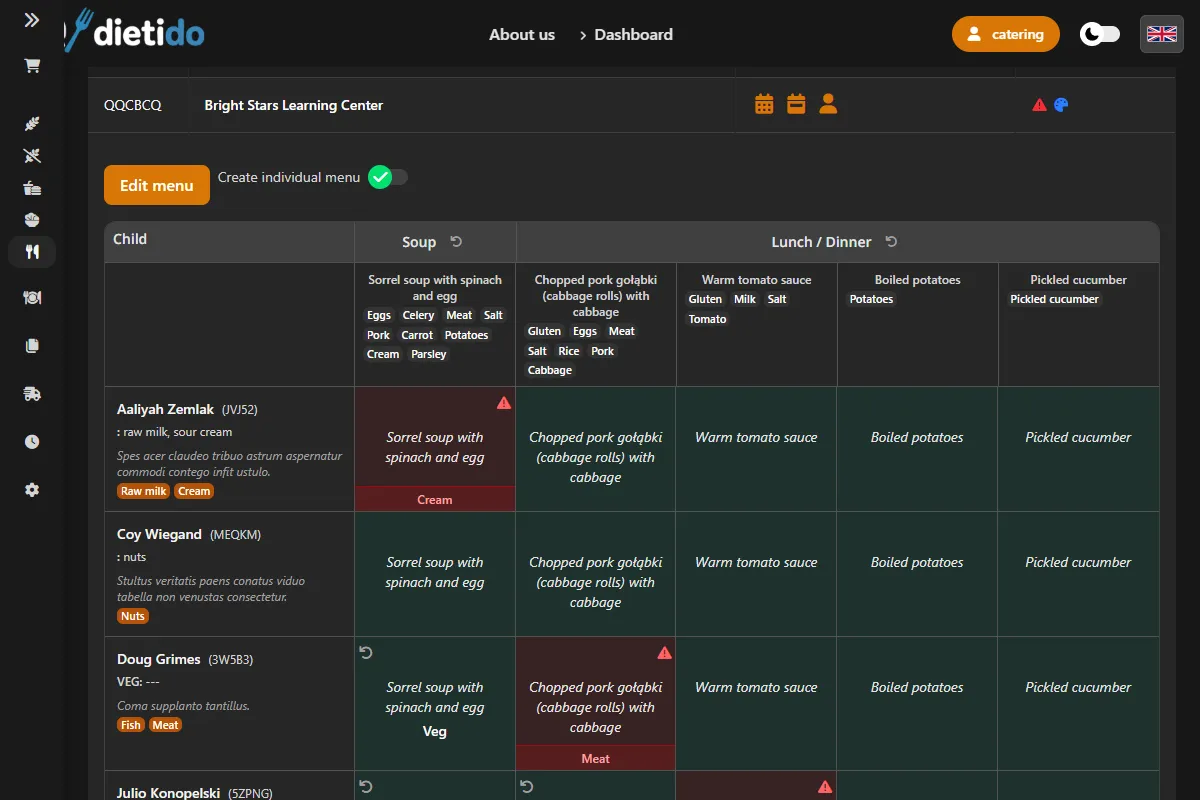
- Visible conflict: Child and dish allergens in one view — a red warning while planning, not in a complaint.
- Dietician's call: Substitute, exclusion and comment are saved on the dish. The system does not force-close the plan.
- One record: The child has a diet, allergens and exclusions in the same system as orders.
- The same menu: Kitchen, labels and the facility read what the dietician planned — not a separate spreadsheet.
How was it before?
Manual verification if Johnny's menu (protein allergy) has yogurt. Stress and huge responsibility on dietician.
With Dietido:
The system crosses the child's allergens with the dish allergens. On a conflict the menu cell turns red. The dietician can add a substitute, an exclusion, a comment or mark the allergen as ignored — and then save the plan.
Logistics & production: from pot to bag
What you gain?
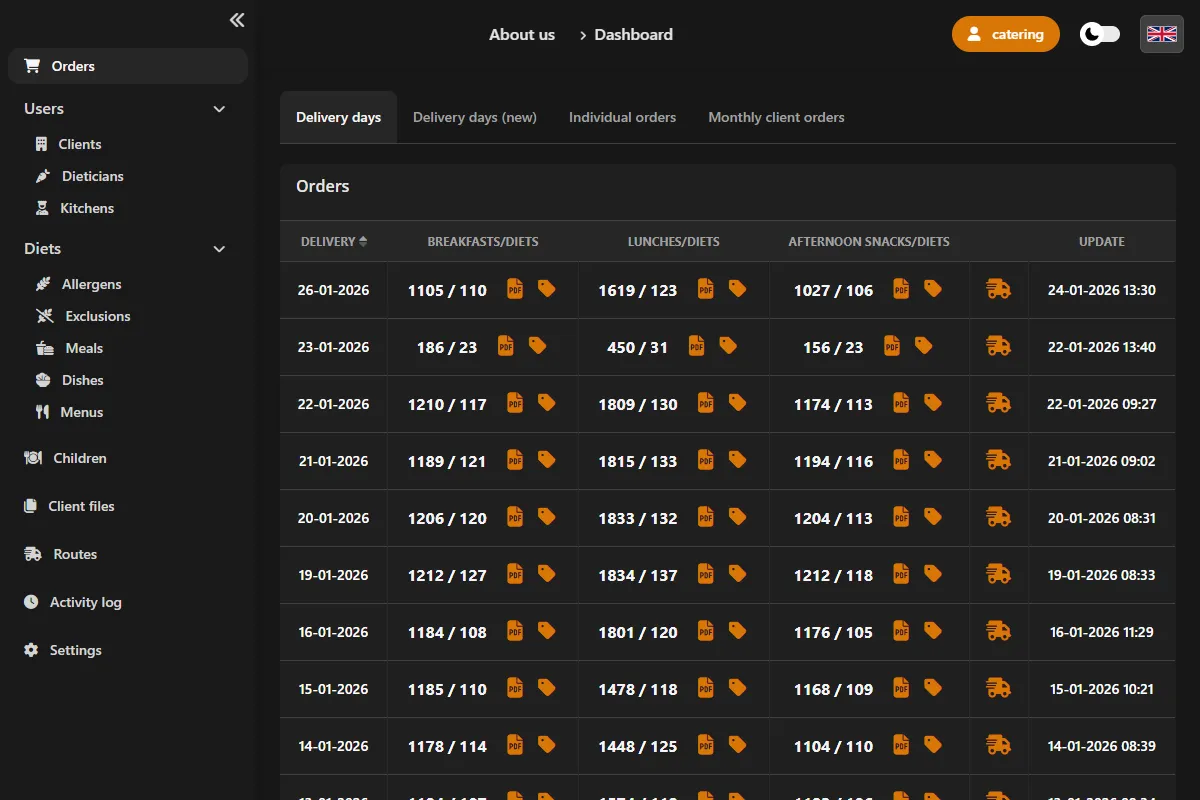
- Day report: Portion and diet totals from orders — not a list of 60 children in alphabetical order.
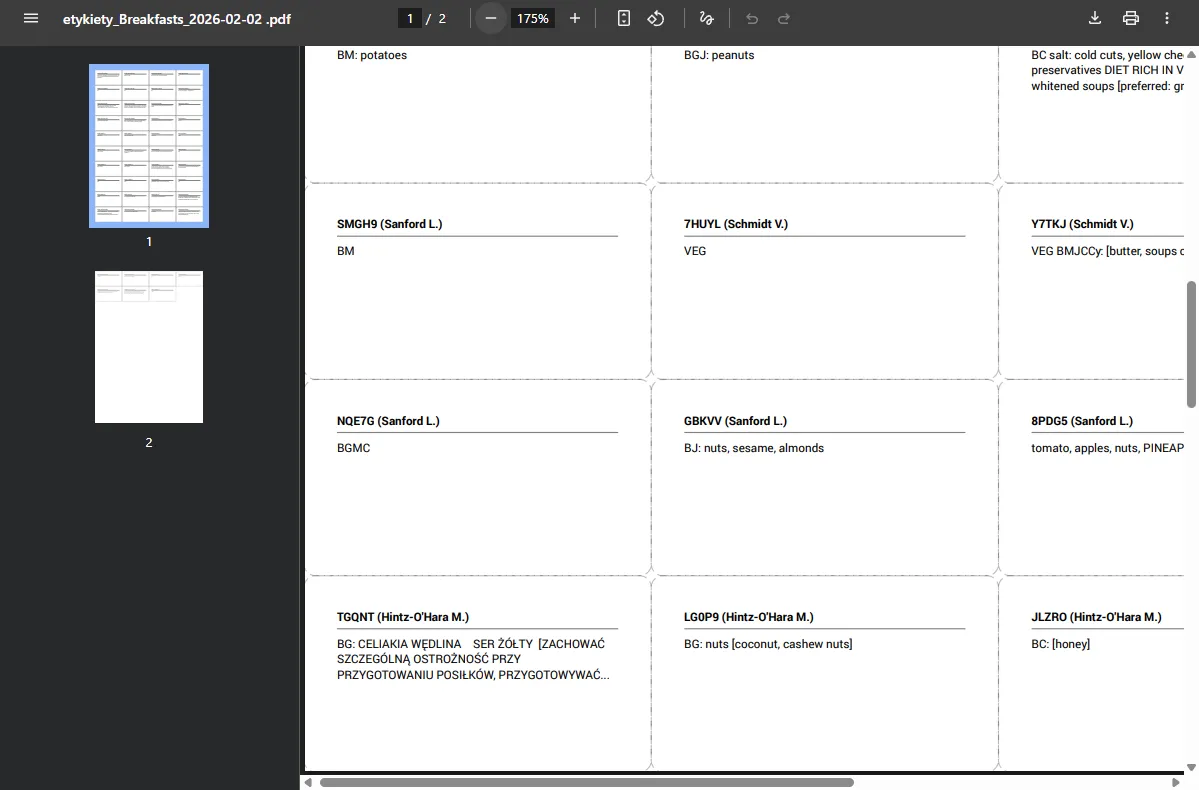
- PDF labels: Facility code, child code, meal and exceptions (substitute, exclusions, comment). No name and no diet name.
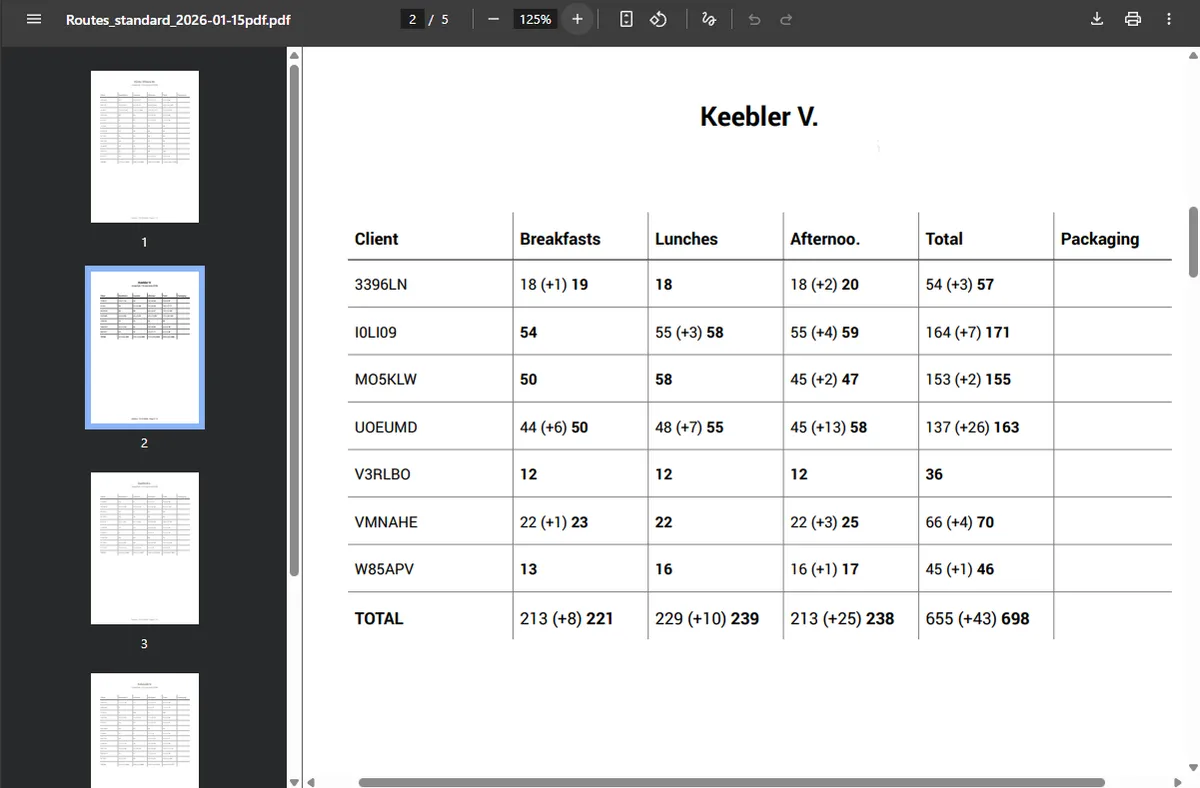
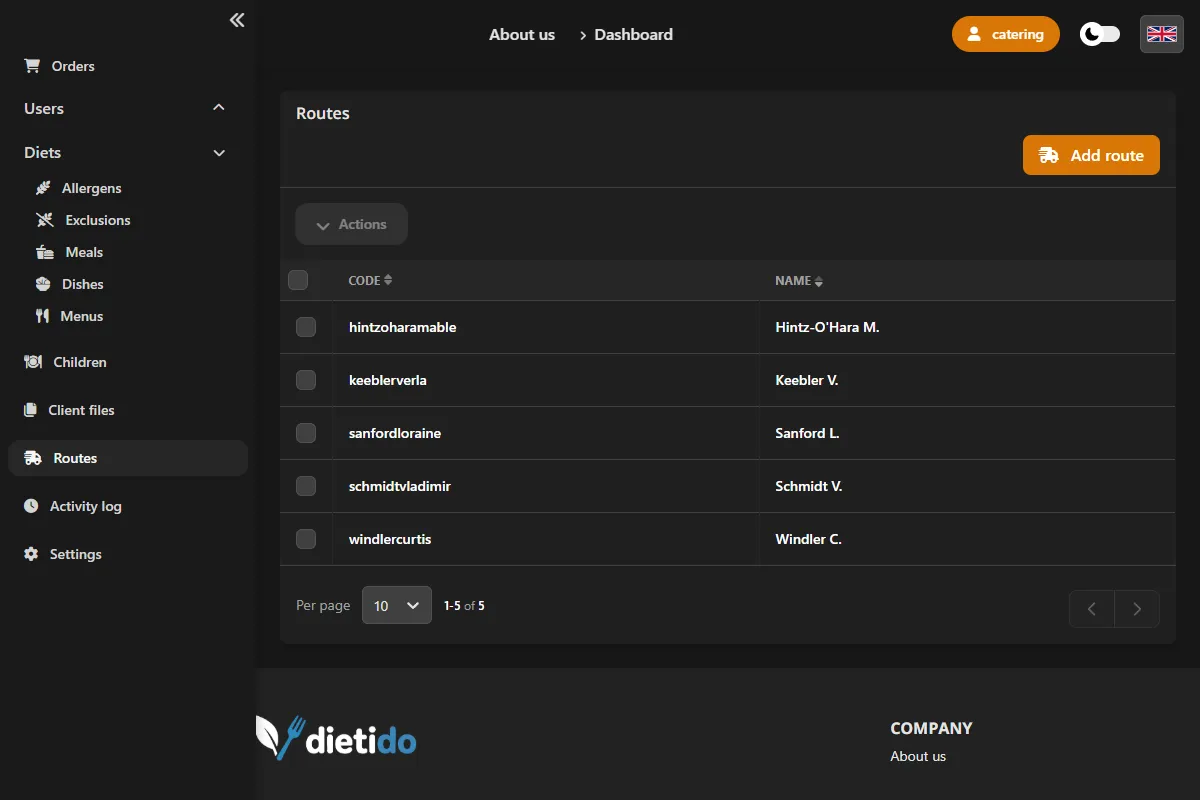
- Routes: Facilities assigned to a route. A packing PDF in drop-off order — for kitchen and manager, not a GPS app.
- Fewer handover mistakes: The bag is packed by route, the container is marked with the order code.
How was it before?
Yelling at kitchen "how many gluten-free?!", writing labels with marker, and drivers wandering with paper.
With Dietido:
The kitchen gets a day production PDF (how many of each dish and diet). Labels and the packing list come from the same orders, in route order.
Online menu: facility and parents
What you gain?
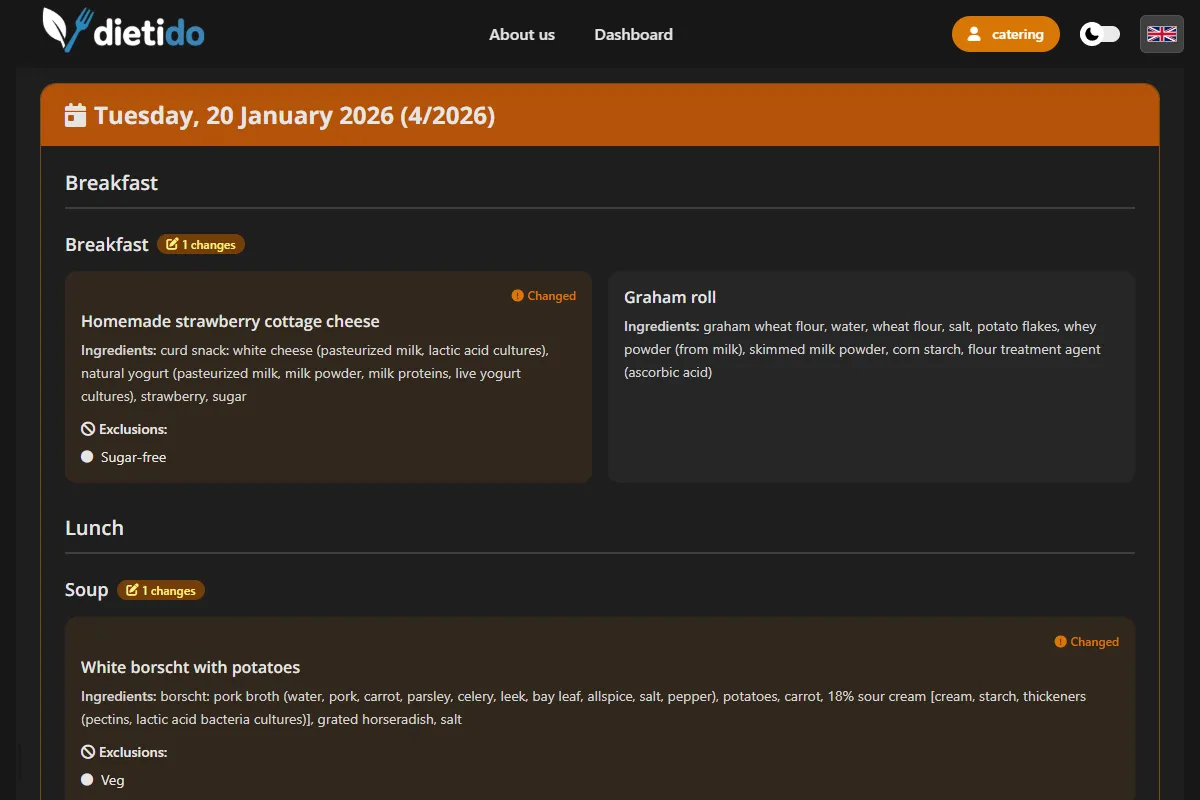
- Modern image: Parents see the menu without waiting for a PDF email.
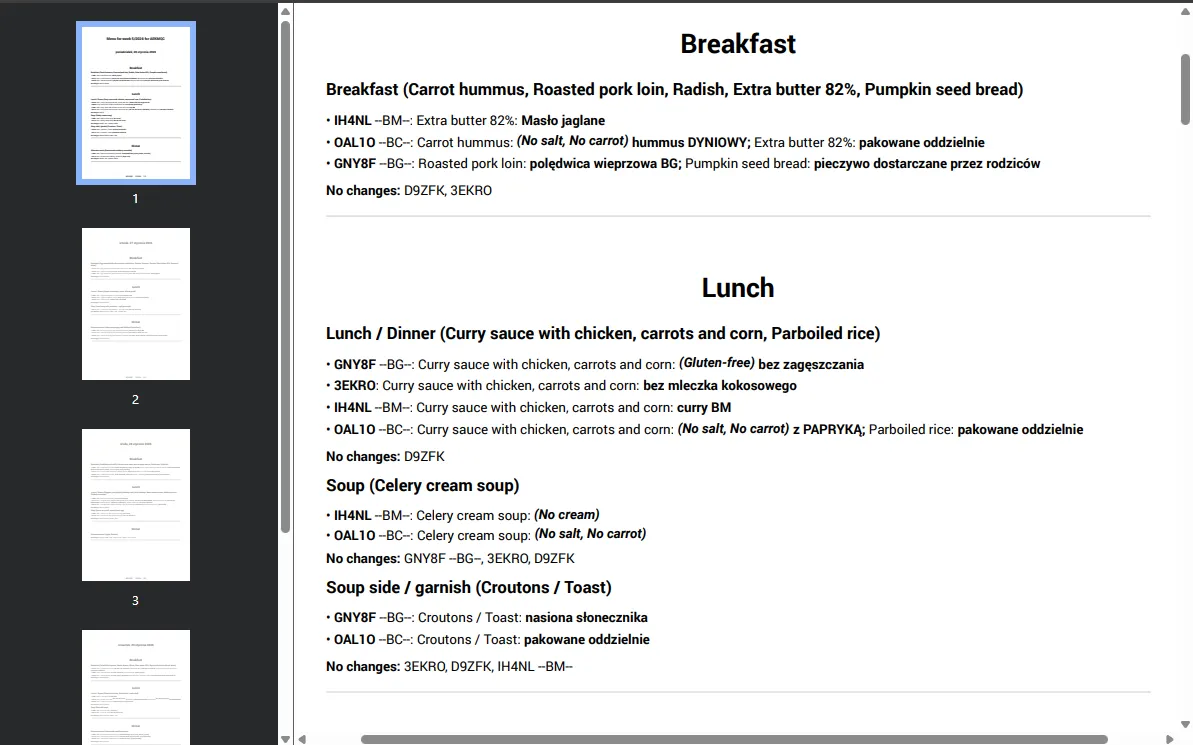
- Link without login: A public URL to the published menu — for the facility or a specific child.
- Orders stay in the facility panel: The facility sees what it placed. The parent does not order — they view the menu.
- End of spam: You no longer send hundreds of menu emails by hand.
How was it before?
Sending emails with PDFs, printing menus for bulletin board, and constant parent questions "what's for lunch?".
With Dietido:
The published menu has a public link — no account and no login. A parent opens it on the phone. The facility can download a PDF if it needs a printout for the board.
Settlements: meal counts from the same orders
What you gain?
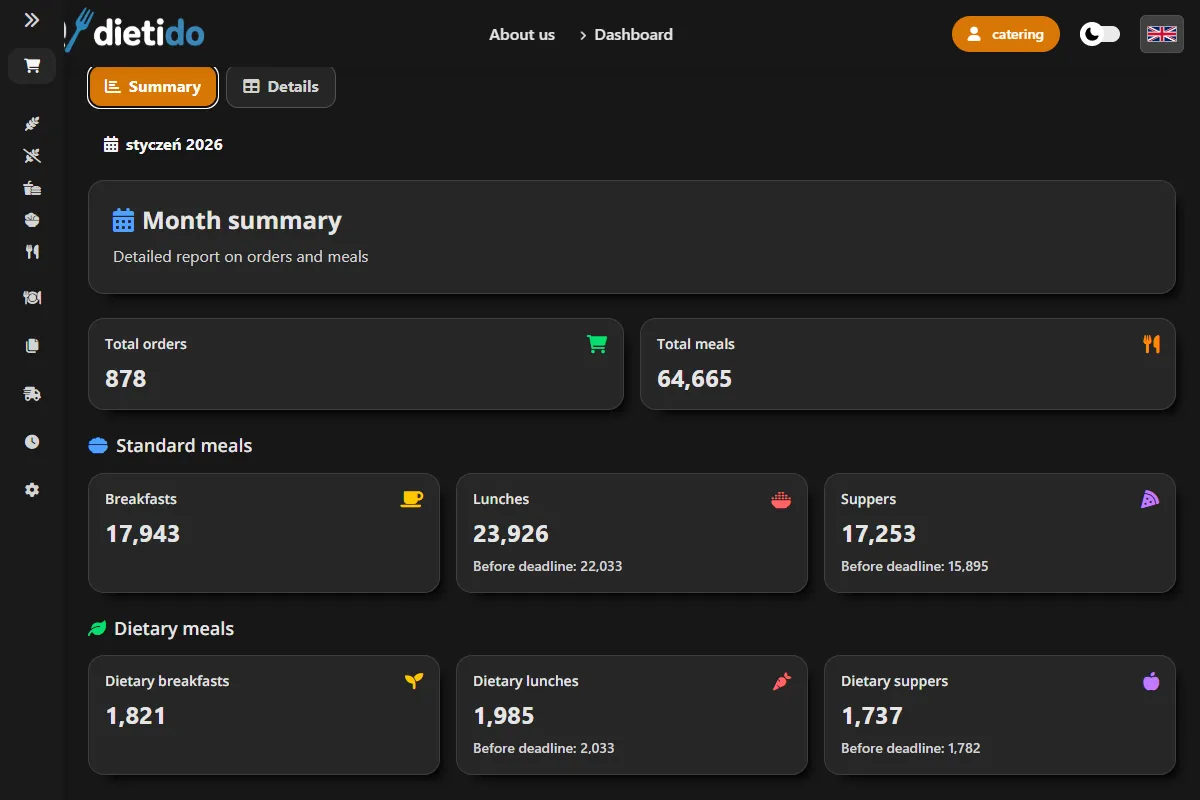
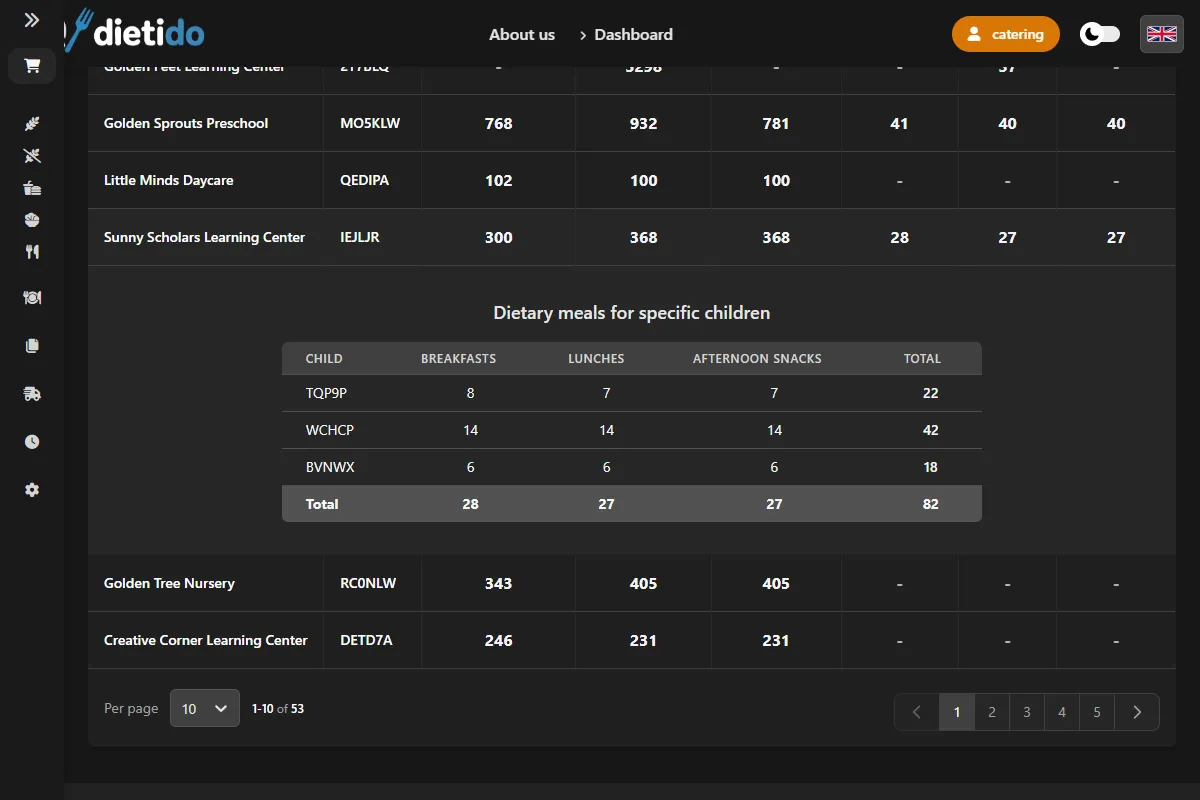
- Meal summary: Breakfast, lunch, dinner and diet counts from the same orders as production.
- Invoice input: A report accounting uses to issue documents — Dietido has no invoicing module.
- Fewer disputes: One source of numbers instead of delivery notes, SMS threads and a notebook.
- The same register: Corrections in the facility panel change the month-end counts immediately.
How was it before?
End of month is "days taken out of life". Manual counting of notes, arguments about number of delivered meals, and payment delays.
With Dietido:
At month-end you pull breakfast, lunch, dinner and diet counts per client. That is the input for an invoice you issue outside the system — not a separate spreadsheet from notes.
Want to see how it works live?
Don't buy a pig in a poke. Schedule a 20-minute online presentation. We'll show you how to set menu and generate first labels.
Book Free Demo